Guides · 12 chapters · 4 min read
Vault Buyer's Guide
A decision-maker's guide to evaluating offline secure storage for personal and professional files. Learn what Vault is, who it is for, and how it protects your most sensitive data.
Chapter 1Executive Summary
Who this guide is for: Individuals, families, directors, and professionals who need to protect sensitive personal or business files beyond the reach of online threats.
What you will learn: How to evaluate whether Vault by Firevault is the right solution for your needs, what it is (and what it is not), and how to get started.
Key takeaway: Vault is a physical digital safe deposit box. It is not cloud storage, not a software application, and not accessible remotely by anyone except you during authorised sessions.
Chapter 2What is Vault?
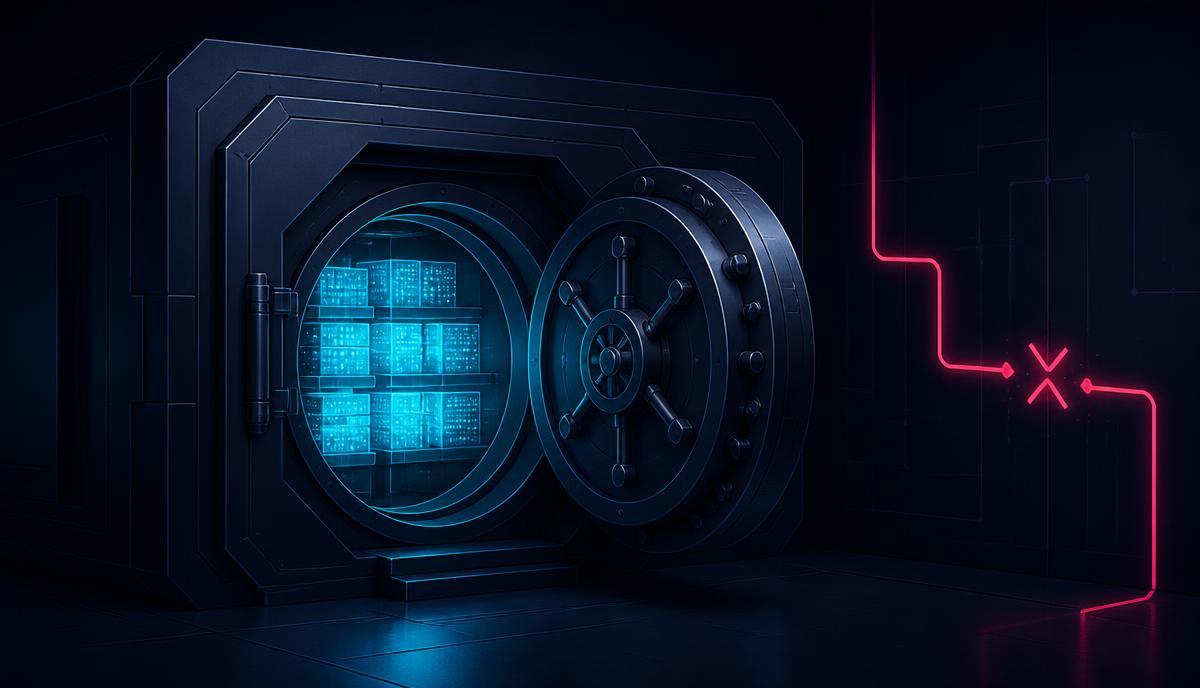
Vault by Firevault is a secured offline digital safe deposit box designed to keep personal and professional data out of reach from breaches, ransomware, and account takeover.
Unlike cloud storage services, Vault is:
- Dedicated physical hardware allocated exclusively to you
- Stored in Firevault Bunkers (secure colocation facilities)
- Physically disconnected when your vault is closed
- Accessible only when you authorise a session
The files that define your life deserve protection that matches their importance.
Chapter 3What Vault is NOT
Before evaluating Vault, it is important to understand what it is not:
- Not cloud storage like Dropbox, Google Drive, or iCloud
- Not a software application running on shared infrastructure
- Not accessible remotely by Firevault, hackers, or anyone else when closed
- Not connected to the internet when not in use
Vault is offline by design. If it is disconnected, it cannot be scanned, stolen, or ransomed.
Chapter 4Who is Vault For?
Vault is designed for anyone who holds sensitive information that would cause significant harm if exposed:
- Individuals and families: Identity documents, financial records, medical files, photos, passwords, and digital legacy planning
- Directors and executives: Board papers, contracts, M&A documents, personal liability protection
- Professionals: Client files, intellectual property, confidential correspondence
- High-net-worth individuals: Estate planning, succession documents, family office records
Chapter 5The Problem Vault Solves
Every year, billions of files are stolen from cloud storage, email accounts, and online backups. The average breach costs £3.5 million for organisations and £21,500 for individuals. Yet most sensitive data remains online, exposed by default.
Traditional solutions fail because:
- Cloud storage is always connected, always exposed
- Encryption alone does not prevent access if credentials are compromised
- Backups stored online can be ransomed alongside primary data
Vault removes the attack surface entirely by taking your data offline.
Chapter 6How Vault Works
Vault operates on three core principles:
- Physical disconnection: Your vault is offline by default. No standing connections, no background exposure.
- Identity-locked access: Access requires KYC verification and MFA. Only you can open your vault.
- Time-boxed sessions: When you need access, you authorise a session. When complete, the connection closes.
Accessible when you need it. Physically disconnected when you do not.
Chapter 7Vault Buddy: Succession Planning
What happens to your digital legacy if you are incapacitated? Vault Buddy allows you to designate a trusted successor who can access your vault under defined conditions, ensuring your files are not lost.
Chapter 8Security Architecture
Vault is built to the security expectations of environments where isolation is mandatory:
- Hardware encryption on dedicated drives
- RAID 1 mirrored backup for resilience
- Firevault Bunkers with physical access controls
- No multi-tenancy or shared infrastructure
Chapter 9Pricing and Plans
Vault is available in multiple capacity tiers. Pricing reflects the cost of dedicated hardware, secure facility hosting, and managed access services. Contact our team for current pricing and to discuss which tier fits your needs.
Chapter 10Getting Started
Ready to protect your most sensitive files?
- Book a consultation to discuss your requirements
- Complete identity verification (KYC/AML)
- Your vault is provisioned with dedicated hardware
- Upload your files during your first session
- Close your vault and it goes offline
Chapter 11Frequently Asked Questions
Can Firevault access my files?
No. When your vault is closed, it is physically disconnected. Even Firevault cannot access your data.
What happens if I lose access?
Identity recovery procedures and Vault Buddy succession planning ensure you are never permanently locked out.
Is my data backed up?
Yes. RAID 1 mirrored backup is included by default.
How quickly can I access my files?
Sessions typically connect within minutes of authorisation.
Chapter 12Next Steps
Vault is for people who understand that some files are too important to leave online. If that describes you, book a demo to see how Vault works and whether it fits your needs.
Where Firevault fits
A recovery copy an attacker cannot reach
Offline Secure Storage® keeps a clean copy of your data on hardware that is physically disconnected, so backup and recovery do not depend on systems an intruder can touch.
- 1Hardware Your copy sits on dedicated encrypted hardware
- 2Disconnect Offline by default, connected only when you say so
- 3Recovery A known-clean copy to rebuild from, on your timetable
- 4Location Held in a secure Firevault Bunker
Related Reading
You may also find these useful
Protecting Students, Peers and Partners: A Practical Education Data Briefing
A practical, forward-looking briefing to help schools, colleges and universities protect students, staff and partner data after the Department for Education breach.

Urgent Briefing and Advice: Protecting Personal Data for High-Profile Figures in the Public Eye
Practical steps for serving and former politicians, councillors, campaigners, journalists, executives, broadcasters and anyone in the public eye, covering email security, device hygiene, threat handling and offline secure storage.
500,000 Volunteers Breached Through Authorised Access: A Controlled Access Buyer's Guide
In April 2026, approved researchers exfiltrated the health records, genetic data, and medical histories of 500,000 UK Biobank volunteers through authorised access channels, then listed the data for sale on Alibaba. The breach was not caused by a hack. It was caused by a model that assumes licence agreements can prevent data theft. This guide covers why that model fails and what physical controls replace it.



Put this guide into practice
Ready to apply what you have learned? Explore how Firevault delivers the offline protection covered in this guide.
From £360 a month including VAT. 36-month commitment. First payment at checkout.

Business
Size your Vault.
2TB, 4TB or 8TB of dedicated hardware, from £360 a month inc VAT.

Larger estates
Request a Storage design.
From 20TB, designed with our solutions team.

Personal
LUV, 300GB.
Identity documents, wills and family archives, opened one day a week.