

 Offline Secure Storage (OSS) ®
of UK businesses identified a cyber breach or attack in the preceding 12 months.
UK Government, Cyber Security Breaches Survey 2026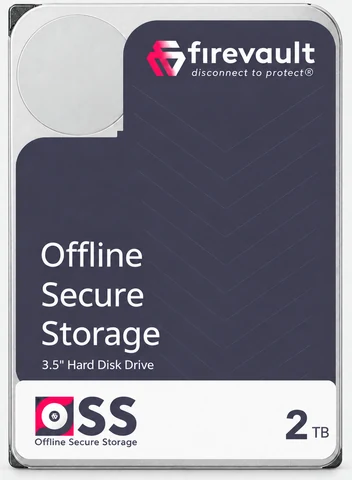
Offline Secure Storage (OSS) ®
Take sensitive data offlineand out of reach.
The information your organisation cannot afford to lose is often the most exposed: connected around the clock, reachable by any incident that gets in. Offline Secure Storage® changes that. It is physically disconnected by default, and opens only when you authorise it.
Your business stays connected. Your most valuable data does not have to.
Why protecting your data matters
When data is targeted, the cost is real.
An attack can expose confidential information, stop operations and damage trust it took years to build. The question is not only whether your systems are protected. It is whether your most valuable data needs to stay exposed to them.
of breaches in Verizon’s 2026 report involved ransomware, up from 44% the year before.
Verizon 2026 Data Breach Investigations Reportrecords exposed across the 35 biggest breaches and privacy violations of 2025.
Forrester- Data theft.Customer records, sensitive documents and intellectual property can be stolen or exposed.
- Business disruption.Systems go down, trading stops and the costs keep growing.
- Compromised recovery.If recovery copies are reachable, restoring the business gets harder.
Recent breaches
- PowerSchool62.4M records
- DISA Global Solutions3.3M records
- Globe Life850K records
- Lidl GBCustomer contact data
- Asahi GroupProduction systems disrupted
- Kido International8K records
- Collins Aerospace (RTX)Check-in and boarding disrupted
- Jaguar Land RoverProduction and IT systems disrupted
- Peter Green ChilledOrder and logistics data
- Adidas UKCustomer contact details
Why offline
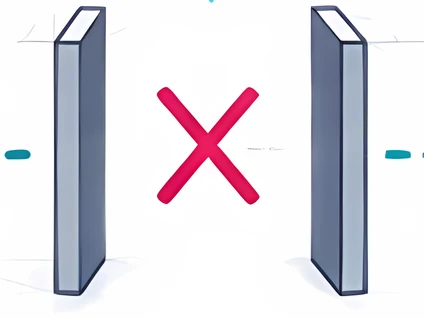
Connected storage is reachable all day. Offline Secure Storage is only available when you approve it.
Most cloud, NAS and backup deployments keep a network path open around the clock. Offline Secure Storage® removes that path between authorised sessions.
Choose an incident to see the difference.
Choose an incident
Incident
An attacker gets into production systems and tries to encrypt files and any recovery copies they can reach.
Connected storageStanding connection

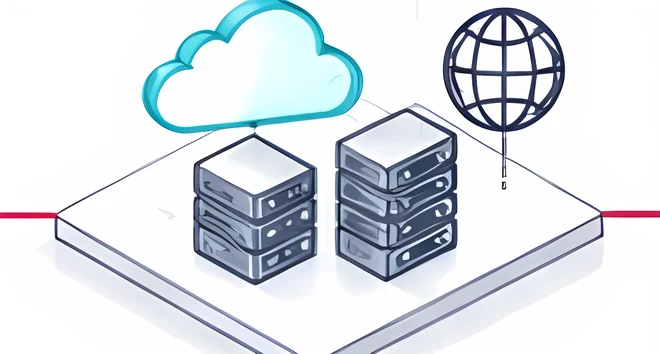 Compromised
 Affected
The attack follows the connection. Reachable copies may be encrypted too.
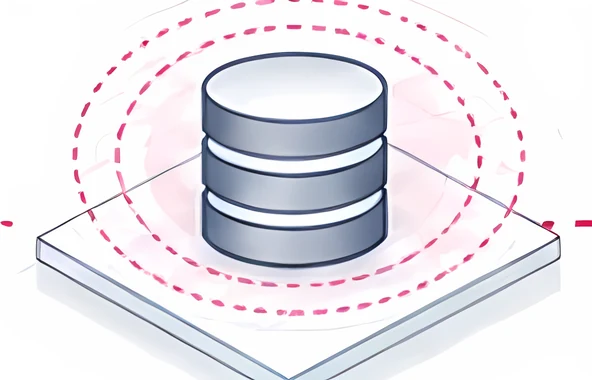
Offline Secure Storage®Physically disconnected
Compromised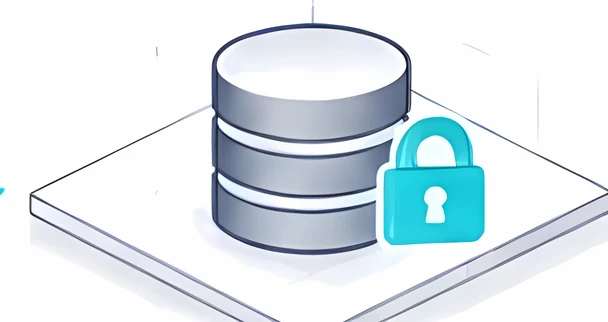 Out of reach
There is no path to follow. Production still needs recovering, but this copy is out of reach.
01 · Relevant herePhysical controlWhy the attack stops at the gap.
02 · Relevant herePhysical storageKeeps a separate holding outside the affected environment.
03Physical ownership
04Physical security
Concept illustration. Outcomes depend on your architecture and whether a session is open at the time.
From a real customer
What protection feels like
Using Firevault for storage and backups helps reassure me that I have everything protected when I cannot be on site.
- About a yearwith Firevault
- Storage and backupsheld in a Vault
- Their IT providerkept on
What will you protect?
Every organisation has something it cannot afford to lose.
From the records you are trusted to hold to the ideas that give you your edge.
Ransomware recoveryKeep selected recovery copies outside the connected environment.
Sensitive customer dataHold customer and employee records apart from everyday systems.
Intellectual propertyProtect designs, research, formulas and commercial know-how.
Legal and regulated recordsPreserve evidence, client files and long-term archives.
Boards and transactionsProtect board papers, financial records and deal documents.
Critical operationsProtect the configurations and records essential services depend on.
The OSS range
Choose the right OSS instance.
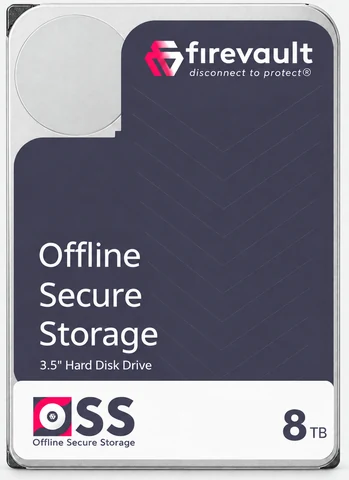
Vault and LUV are ready to order today and held in Firevault Bunkers. Storage and Enterprise are scoped with you: capacity, access and where the hardware lives.
 Digital safe deposit box™
Vault
Dedicated hardware for your most sensitive files, IP, records and recovery copies.
- Open it when you need it, 24/7
- Sessions of up to 120 minutes
- Dedicated, mirrored drives
£480a month including VAT
36 months · first payment on the 5th of the following month
 Storage20TB–300TBFor larger volumes of data, archives and recovery copies.
 Enterprise300TB and aboveFor major data estates, regulated organisations and critical infrastructure.
 LUV300GB · £74.99 a month inc VATFor personal records you need only occasionally.Explore LUV
Every instance is on a 36-month commitment. Storage and Enterprise are quoted. Compare all four.
As featured in
'%3e%3cpath%20fill='%23E40784'%20d='M141.363%2026.6a5.905%205.905%200%200%201-5.899-5.9%205.905%205.905%200%200%201%205.899-5.895%205.901%205.901%200%200%201%205.895%205.895%205.9%205.9%200%200%201-5.895%205.9Zm0-8.347a2.448%202.448%200%200%200%200%204.895%202.449%202.449%200%200%200%202.447-2.448%202.449%202.449%200%200%200-2.447-2.447ZM141.363%200c-.821%200-1.638.052-2.447.144v3.731a16.897%2016.897%200%200%201%202.447-.177c9.373%200%2017.002%207.626%2017.002%2017.002%200%20.825-.063%201.642-.177%202.448h3.732c.095-.81.143-1.627.143-2.448%200-11.411-9.285-20.7-20.7-20.7Z'/%3e%3cpath%20fill='%23E40784'%20d='M141.363%207.268c-.825%200-1.645.077-2.447.228v3.787a9.733%209.733%200%200%201%202.447-.313c5.369%200%209.734%204.368%209.734%209.734%200%20.832-.107%201.652-.313%202.447h3.783c.151-.802.228-1.623.228-2.447.004-7.412-6.024-13.436-13.432-13.436Z'/%3e%3cpath%20fill='%23fff'%20d='M71.382%207.537h-2.84a5.82%205.82%200%200%200-5.815%205.818v9.785h4.037v-9.789a1.78%201.78%200%200%201%201.777-1.777h2.841V7.537ZM80.539%2019.1a3.787%203.787%200%200%201-3.783-3.784%203.787%203.787%200%200%201%203.783-3.783%203.787%203.787%200%200%201%203.783%203.784%203.787%203.787%200%200%201-3.783%203.783Zm0-11.6c-4.313%200-7.82%203.507-7.82%207.82%200%204.313%203.507%207.82%207.82%207.82%201.372%200%202.66-.357%203.78-.982v.982h4.036V15.32c.004-4.313-3.503-7.82-7.816-7.82ZM41.806%2018.71a5.512%205.512%200%200%201-4.34%202.1%205.55%205.55%200%200%201-5.541-5.541%205.55%205.55%200%200%201%205.542-5.543c1.696%200%203.279.766%204.339%202.102l.088.114%201.656-1.656-.077-.092a7.865%207.865%200%200%200-6.01-2.797c-4.339%200-7.871%203.533-7.871%207.872s3.532%207.871%207.871%207.871a7.865%207.865%200%200%200%206.01-2.797l.077-.091-1.656-1.656-.088.113ZM19.479%207.397c-4.34%200-7.872%203.53-7.872%207.872%200%204.342%203.533%207.871%207.872%207.871a7.883%207.883%200%200%200%207.205-4.71l.081-.18H24.15l-.037.058a5.543%205.543%200%200%201-10.05-1.873h13.2l.015-.11c.048-.357.073-.714.073-1.053%200-4.346-3.529-7.875-7.871-7.875Zm-5.417%206.705a5.54%205.54%200%200%201%205.417-4.376%205.54%205.54%200%200%201%205.417%204.376H14.06ZM46.192%2023.14h2.33v-8.847a4.599%204.599%200%200%201%204.593-4.592%204.599%204.599%200%200%201%204.592%204.592v8.844h2.33v-9.149h-.008a6.887%206.887%200%200%200-2.082-4.648%206.89%206.89%200%200%200-4.832-1.972%206.863%206.863%200%200%200-4.593%201.751V.545h-2.33V23.14ZM2.686%207.393H0v2.33h2.686v8.471a4.944%204.944%200%200%200%204.94%204.939h2.435v-2.33H7.625a2.613%202.613%200%200%201-2.609-2.612V9.726h3.772v-2.33H5.016V1.84h-2.33v5.553ZM101.968%208.457a7.721%207.721%200%200%200-2.547-.858c-.088-.014-.177-.03-.265-.04-.1-.011-.199-.022-.302-.03a9.993%209.993%200%200%200-.574-.029c-.022%200-.04-.004-.062-.004h-.037c-4.313%200-7.82%203.507-7.82%207.82%200%204.313%203.507%207.82%207.82%207.82h.037c.25%200%20.496-.014.743-.04l.037-.003a7.742%207.742%200%200%200%203.003-.939v.979h4.037L106.005.537h-4.037v7.92Zm0%206.863a3.788%203.788%200%200%201-3.769%203.78%203.786%203.786%200%200%201-3.76-3.78c0-2.08%201.688-3.772%203.764-3.78a3.787%203.787%200%200%201%203.765%203.78ZM119.75%2023.11h4.037V15.299c-.011-4.302-3.515-7.798-7.82-7.798-4.313%200-7.821%203.507-7.821%207.82%200%204.313%203.508%207.82%207.821%207.82%201.372%200%202.66-.357%203.783-.982v.953Zm-3.783-4.01a3.786%203.786%200%200%201-3.783-3.784%203.786%203.786%200%200%201%203.783-3.783%203.79%203.79%200%200%201%203.783%203.78v.003a3.787%203.787%200%200%201-3.783%203.784ZM132.273%207.5a5.824%205.824%200%200%200-5.818%205.818v9.822h4.037v-9.822a1.78%201.78%200%200%201%201.777-1.777h2.841V7.5h-2.837ZM173.736%2020.807a5.534%205.534%200%200%201-5.527-5.527%205.534%205.534%200%200%201%205.527-5.528%205.535%205.535%200%200%201%205.528%205.528%205.535%205.535%200%200%201-5.528%205.527Zm0-13.399a7.852%207.852%200%200%200-5.527%202.274V7.393h-2.344V30h2.344v-9.127a7.836%207.836%200%200%200%205.527%202.275c4.339%200%207.872-3.533%207.872-7.872s-3.533-7.868-7.872-7.868ZM186.735%2023.14h-2.385v-9.81a5.84%205.84%200%200%201%205.833-5.834h2.848v2.385h-2.848a3.45%203.45%200%200%200-3.448%203.448v9.811ZM202.813%209.774a5.535%205.535%200%200%200-5.528%205.528%205.535%205.535%200%200%200%205.528%205.527%205.534%205.534%200%200%200%205.527-5.527%205.534%205.534%200%200%200-5.527-5.528Zm0%2013.4c-4.339%200-7.872-3.533-7.872-7.872%200-4.34%203.533-7.872%207.872-7.872s7.872%203.53%207.872%207.872c0%204.339-3.533%207.871-7.872%207.871Z'/%3e%3c/g%3e%3cdefs%3e%3cclipPath%20id='a'%3e%3cpath%20fill='%23fff'%20d='M0%200h210.68v30H0z'/%3e%3c/clipPath%3e%3c/defs%3e%3c/svg%3e)




What it is
Four problems we set out to solve.
Drawing on decades of combined experience in technology, infrastructure and cybersecurity, we built a separate protection and recovery tier on four physical principles.
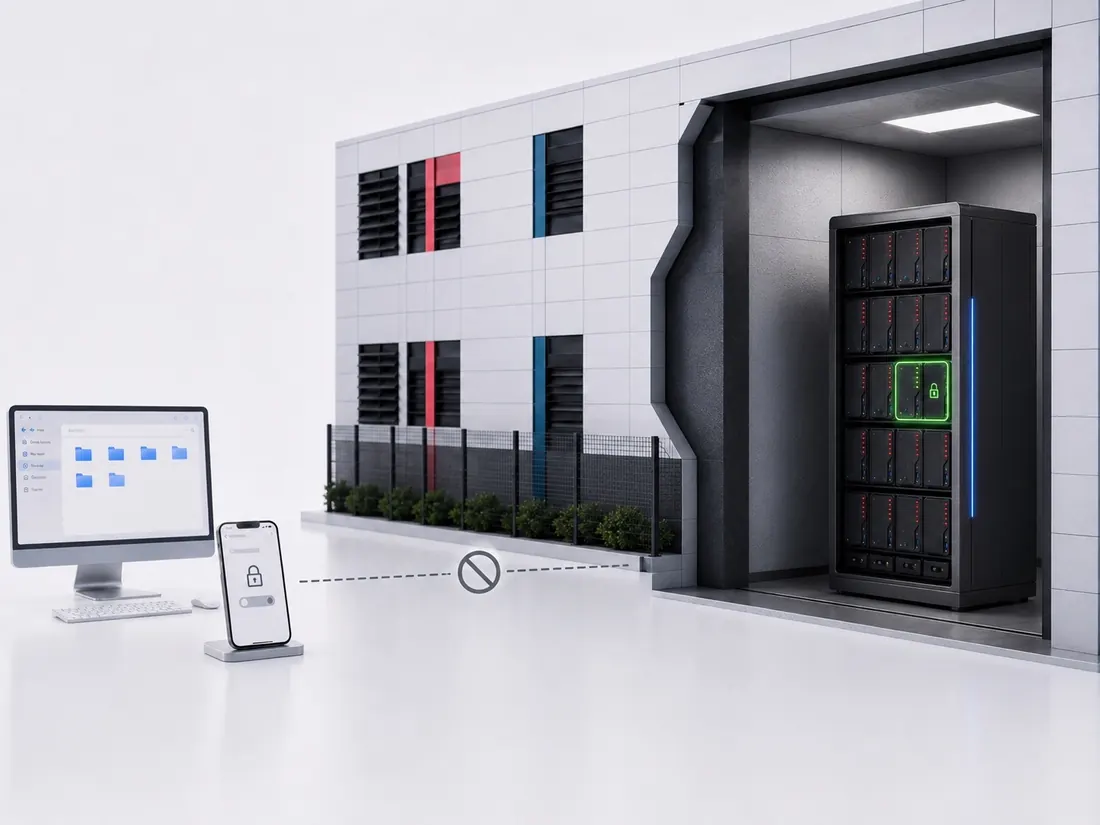
01Physical control
Data stays connected when nobody needs it.
A standing connection leaves a route to your information that must be defended, even when you are not using it.
With OSS: Your data stays physically disconnected between authorised sessions.
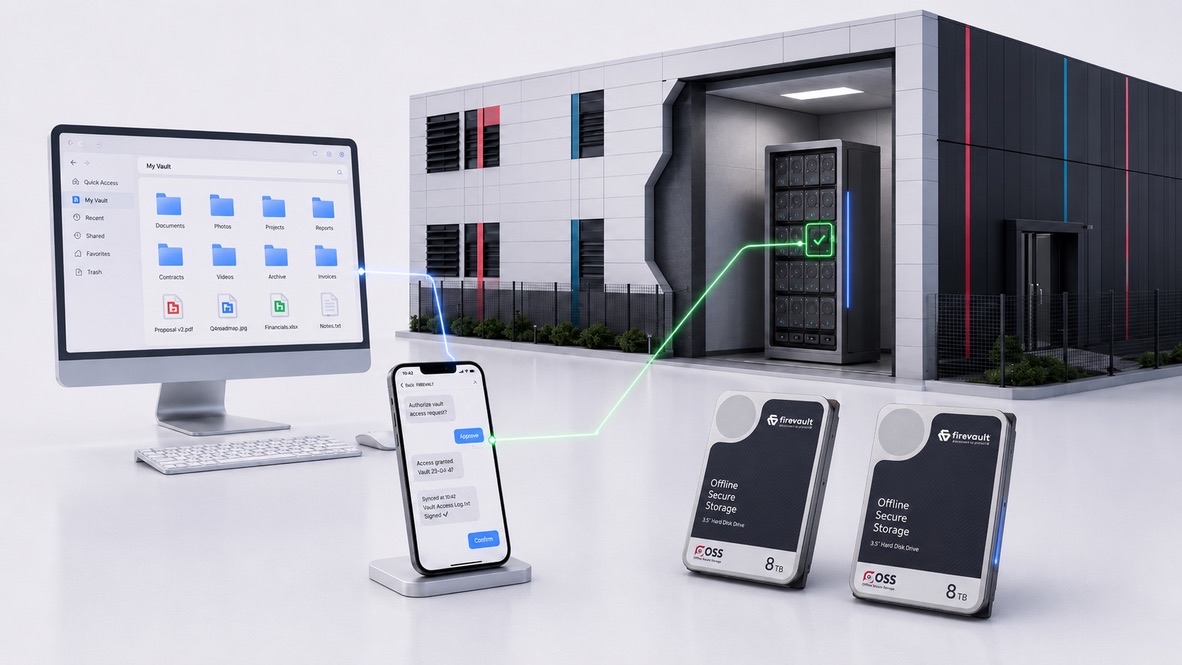
02Physical storage
Recovery copies need a separate physical home.
If critical files and recovery copies depend on the same systems, a single incident can put both at risk.
With OSS: Selected records and recovery copies are kept apart from your everyday systems.
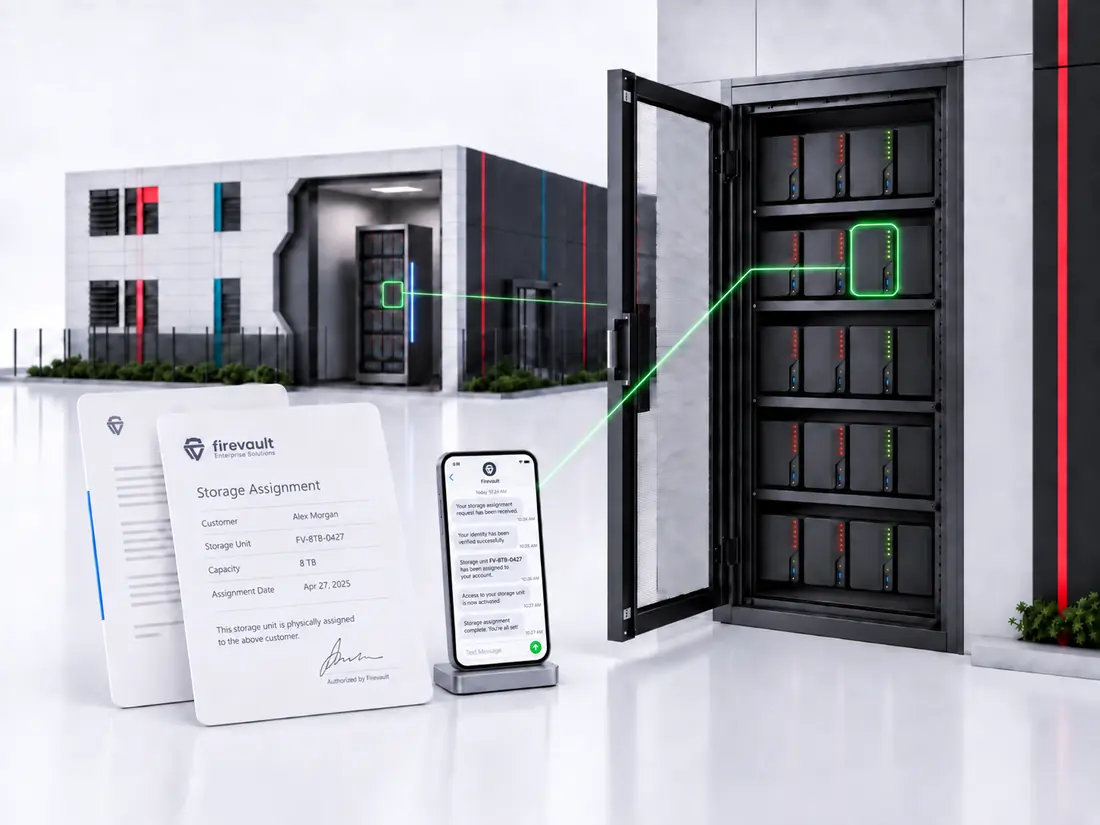
03Physical ownership
Responsibility is yours. Visibility may not be.
Owning the information does not always tell you where it is held, who can access it or how the hardware is managed.
With OSS: You know what storage is assigned to you, who can access it and how it is managed.
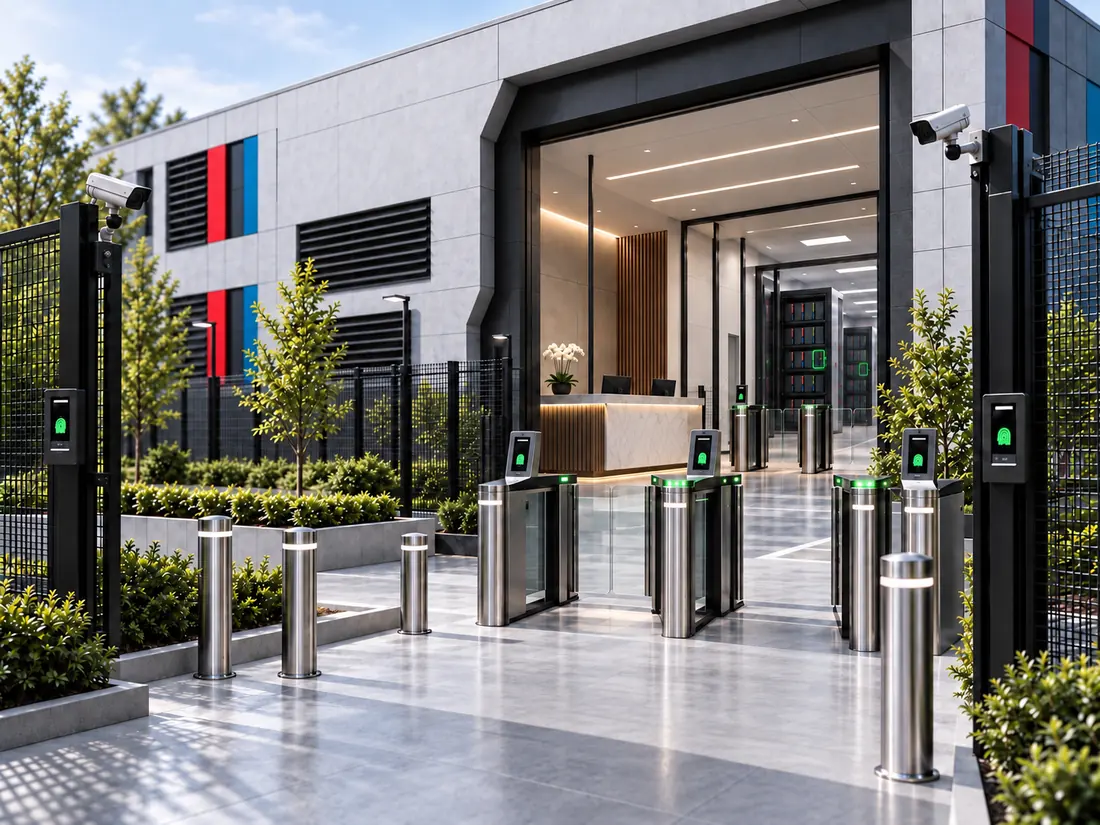
04Physical security
Cybersecurity cannot prevent physical damage.
Theft, fire and unauthorised entry can threaten the equipment holding your information, online or offline.
With OSS: Firevault Bunkers add controlled entry, monitoring and environmental protection.
The OSS platform
Built around your data. Designed around how you need to use it.
Physical storage, controlled access and hardware-enforced disconnection, working as one platform.
Ready to buy
Vault and LUV
Set capacity, held in Firevault Bunkers.
Select→Provision→Authorise→Access→DisconnectLUV follows the same route on one nominated day a week.
Designed around you
Storage and Enterprise
Specified around your systems, volumes and locations.
Scope→Design→Deploy→Transfer→DisconnectWhere your OSS lives
Showing: Vault
Physically disconnected
The protection cycle
In a Firevault Bunker
A separate, controlled environment, away from your normal operating premises.
LUVVaultStorageEnterprise
Built into the platform. Nothing left connected.
 File ManagerWork in your files from a browser during a session. Nothing to install.File Manager
 File ShareSend a time-boxed, password-protected link, not an attachment.File Share
 Vault BuddyNominate who can reach your Vault if you cannot, with evidence and identity checks first.Vault Buddy
 Vault SpareA prepared spare is designed to take over if a drive fails, so your access continues.Vault Spare
Protect the asset. Control the path.
Control is about controlling the path of access and data. Offline Secure Storage® is about protecting the valuable assets themselves.
Questions worth asking
Before you take data offline.
Your IT team needs detail. Your board needs confidence. Here are the practical answers.
Cloud backup stays connected so it can keep syncing. OSS removes the connection between sessions, so it sits alongside your cloud backup rather than replacing it, for example as the offline copy in a 3-2-1-1-0 backup strategy.
No. OSS is for recovery copies, records you must keep and your crown-jewel files, not the data your team works on every day.
Yes. Firevault works alongside your IT provider, your cloud services and your security tools.
No. Firevault staff have no routine access to customer data.
You can renew, have eligible hardware returned to you, or choose certified destruction.
It can help support UK GDPR, NIS2, DORA and ISO 27001 obligations, and NCSC guidance on offline backups. We do not claim certification on your behalf.
Your next step
What data could your business least afford to lose?
Not sure which instance fits? Tell us what you need to keep offline and we will recommend one.
Find your OSS