
Guides · 13 chapters · 6 min read
IT Director's Guide to Ransomware Recovery, Backups and Infrastructure Resilience
The practical recovery guide: immutable versus offline, Active Directory rebuild, management plane compromise, clean recovery environments, restore testing and realistic RTO and RPO.
Chapter 1Who this guide is for
This guide is written for IT directors, heads of infrastructure and the people who would actually run the rebuild. It concentrates on recovery mechanics rather than strategy.
Chapter 2What infrastructure leadership is actually responsible for
- Backups that exist, verify and restore, in that order.
- A rebuild sequence that starts from nothing and reaches a trading business.
- Protection of the management planes that recovery depends on.
- Recovery credentials and configuration held outside the estate.
- Restore testing that is measured, dated and honest about failures.
Chapter 3Immutable, air-gapped and offline are not the same thing
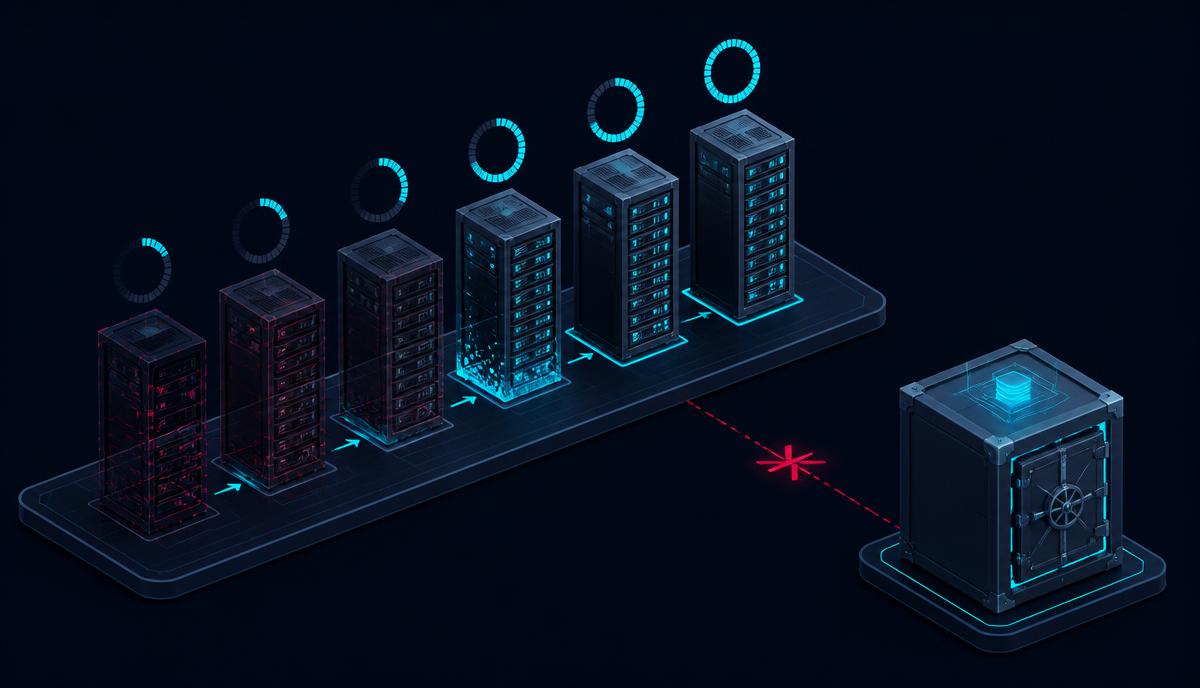
- Immutable means the data cannot be altered for a retention window. It usually still sits inside the same account, tenancy or administrative boundary as the estate.
- Logically air-gapped means the connection is controlled by software or configuration. Whoever controls that configuration controls the gap.
- Physically offline means there is no electrical path to reach the data at all. It is slower to restore from, which is why it suits a defined critical set rather than everything.
Our comparison of air gap versus immutable backup sets out the trade-offs in more detail.
Chapter 4The recovery sequence people get wrong
- Establish a clean environment that is not administered from the compromised one.
- Rebuild identity first. Test an authoritative Active Directory or directory restore end to end, including the recovery of tier-zero credentials.
- Restore the management planes: virtualisation, backup infrastructure and network administration.
- Restore the minimum viable estate, verified against a known-good baseline before reconnection.
- Stage reconnection, monitoring for reinfection at each step.
Recovery credentials, the backup catalogue and the runbooks all need to exist outside the failure domain. This is the most common reason a technically sound backup estate still results in a multi-week outage.
Chapter 5Restore testing that means something
- Test a full rebuild, not a file restore.
- Use the clock, and record where it went wrong.
- Include the systems people forget: certificate authorities, DNS, DHCP, licence servers, MFA.
- Test with the assumption that the primary administrator account is unavailable.
- Publish the measured RTO and RPO back to the business and to finance.
Chapter 6The questions to ask
- Can a domain administrator delete or encrypt every copy of our data today?
- Where do our recovery credentials live, and would we reach them during an incident?
- How long did the last full identity restore take?
- Which restores have we never actually performed?
- What would we do if the backup console itself were compromised?
Chapter 7The evidence to expect
- A dated restore test report with durations and failures.
- A rebuild runbook available offline.
- An inventory of the critical set: the data that must survive at any cost.
- Evidence of separation between production and recovery administration.
- Reconnection and verification criteria agreed in advance.
Chapter 8What happens when preventative controls fail
Prevention buys time. It does not remove the need to answer a simple question: if an attacker holds your identity platform and your management console tonight, what still works tomorrow morning? Most organisations discover that their backup catalogue, their recovery credentials and their runbooks all depend on the systems that have just been taken. That is the dependency worth removing first.
No control removes the possibility of a serious incident. The realistic goal is a smaller blast radius, a recovery path that does not depend on the compromised estate, and evidence that both were tested.
Chapter 9Deciding what you actually need
Offline Secure Storage® belongs around a defined critical and clean recovery set. It is not a replacement for your normal backup infrastructure, and anyone who tells you otherwise is selling rather than advising. Firevault is the company. It provides three distinct things, and the honest answer is often that you need one of them rather than all of them.
- Offline Secure Storage® holds a defined set of critical records and clean recovery data physically disconnected from the live estate. It is a protected set, not a replacement for your backup infrastructure.
- Control Modules are a suite of nine purpose-built tools and techniques that give you physical control over the paths into and across your estate. Introduce only the modules that map to the risk you are treating.
- Control Blueprints are proven combinations of those modules assembled for a named outcome, such as containing a live breach or governing third-party access.
If your existing controls already deliver a tested recovery path that survives the compromise of your identity and management planes, and you can evidence it, you may not need any of this. Test that assumption before you buy anything. If you are unsure which of the three applies, the Firevault Concierge walks through the question set without a sales conversation.
Chapter 10The Control Blueprints most relevant to this role
These are the patterns that touch infrastructure and recovery directly. Control by Firevault is a set of nine Control Modules, grouped into the FIRE layer (Firebreak, Isolate, Relay, Execute) and the VAULT layer (Validate, Archive, Unlink, Lock, Transfer). Seven Control Blueprints combine those modules for a specific outcome. You do not need all nine modules, and most organisations start with one blueprint.
- CP-01 Stop Kill-Chain Ransomware uses Firebreak, Isolate, Execute. Read the stop kill-chain ransomware guide.
- CP-02 Contain Active Breaches uses Firebreak, Isolate, Execute. Read the contain active breaches guide.
- CP-03 Control Third-Party Access uses Validate, Relay, Lock. Read the control third-party access guide.
- CP-04 Enforce Physical Segmentation uses Firebreak, Isolate, Unlink. Read the enforce physical segmentation guide.
- CP-05 Protect Critical Infrastructure uses Firebreak, Isolate, Relay, Execute. Read the protect critical infrastructure guide.
The full set is on the Control overview and the Control Blueprints index.
Chapter 11Where to go next
For the architecture behind these choices, read the CIO and CTO guide. For threat framing, read the CISO guide. Our note on recovery independence covers the credential problem specifically.
Chapter 12Sources and further reading
- NCSC, Mitigating malware and ransomware attacks
- NCSC, Business continuity and disaster recovery
- CISA StopRansomware
- NIST SP 800-34, Contingency Planning Guide
- NIST Cybersecurity Framework 2.0
Chapter 13About this guide
Author Mark Fermor, Firevault. Reviewed by Firevault engineering review. Last reviewed 28 August 2026.
This guide draws on primary regulatory and technical sources together with Firevault's own field work on physical isolation and offline recovery. It is guidance, not legal advice. Where a legal or regulatory duty is in question, take advice on your own circumstances.
Other guides in this series are listed on the role guide hub.
Where Firevault fits
A recovery copy an attacker cannot reach
Offline Secure Storage® keeps a clean copy of your data on hardware that is physically disconnected, so backup and recovery do not depend on systems an intruder can touch.
- 1Hardware Your copy sits on dedicated encrypted hardware
- 2Disconnect Offline by default, connected only when you say so
- 3Recovery A known-clean copy to rebuild from, on your timetable
- 4Location Held in a secure Firevault Bunker
Related Reading
You may also find these useful

Protecting Students, Peers and Partners: A Practical Education Data Briefing
A practical, forward-looking briefing to help schools, colleges and universities protect students, staff and partner data after the Department for Education breach.

Urgent Briefing and Advice: Protecting Personal Data for High-Profile Figures in the Public Eye
Practical steps for serving and former politicians, councillors, campaigners, journalists, executives, broadcasters and anyone in the public eye, covering email security, device hygiene, threat handling and offline secure storage.
500,000 Volunteers Breached Through Authorised Access: A Controlled Access Buyer's Guide
In April 2026, approved researchers exfiltrated the health records, genetic data, and medical histories of 500,000 UK Biobank volunteers through authorised access channels, then listed the data for sale on Alibaba. The breach was not caused by a hack. It was caused by a model that assumes licence agreements can prevent data theft. This guide covers why that model fails and what physical controls replace it.



Put this guide into practice
Ready to apply what you have learned? Explore how Firevault delivers the offline protection covered in this guide.
From £360 a month including VAT. 36-month commitment. First payment at checkout.

Business
Size your Vault.
2TB, 4TB or 8TB of dedicated hardware, from £360 a month inc VAT.

Larger estates
Request a Storage design.
From 20TB, designed with our solutions team.

Personal
LUV, 300GB.
Identity documents, wills and family archives, opened one day a week.